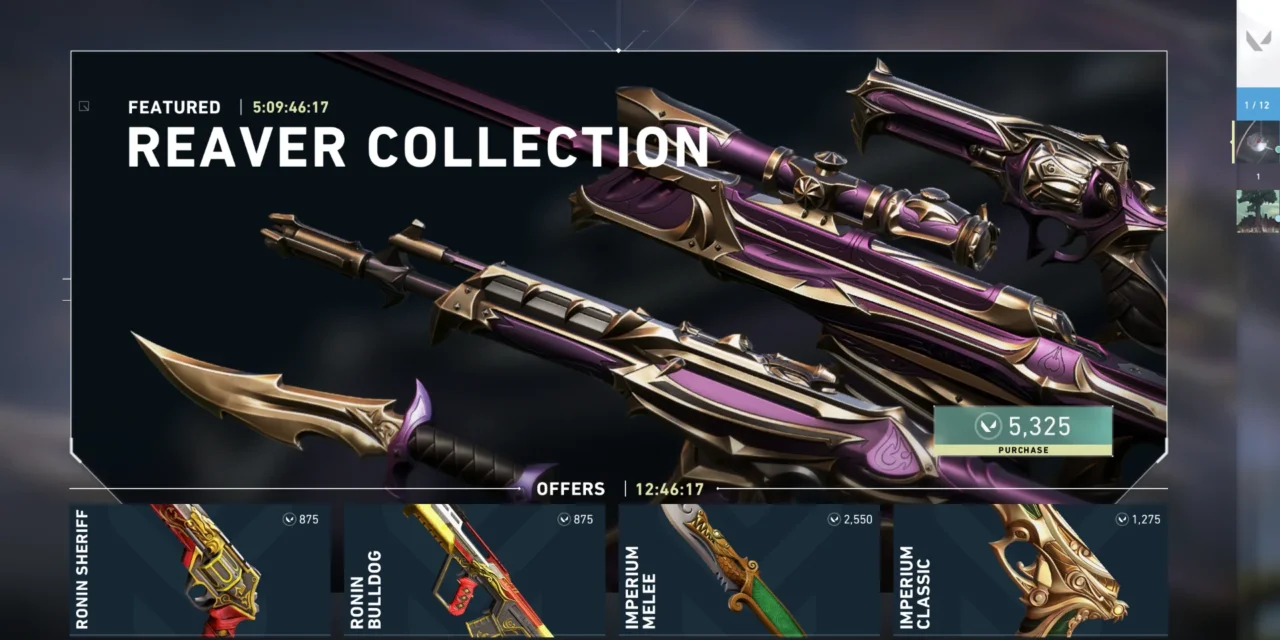
The daily rotation of skin offers is a major part of the Valorant experience, but checking your Valorant shop usually requires launching the full PC game client. Because the in-game market updates every 24 hours, players frequently look for external ways to check their shop when they are away from their computers. Third-party tools have emerged to fill this gap, pulling data directly onto phones or web browsers.
Checking the shop externally introduces important security decisions regarding account login data. This guide provides a straightforward breakdown of the most popular methods players use to track their cosmetic shop from anywhere, detailing the steps required and the security risks involved with each option.
Understanding the External Store Ecosystem
A Valorant shop tracker is a community-made tool or workaround that displays your personal daily shop selection outside the game. These tools connect to specific database endpoints to pull your individual rotation data, allowing you to view your offers on a mobile device.
Discord Valorant shop tracker
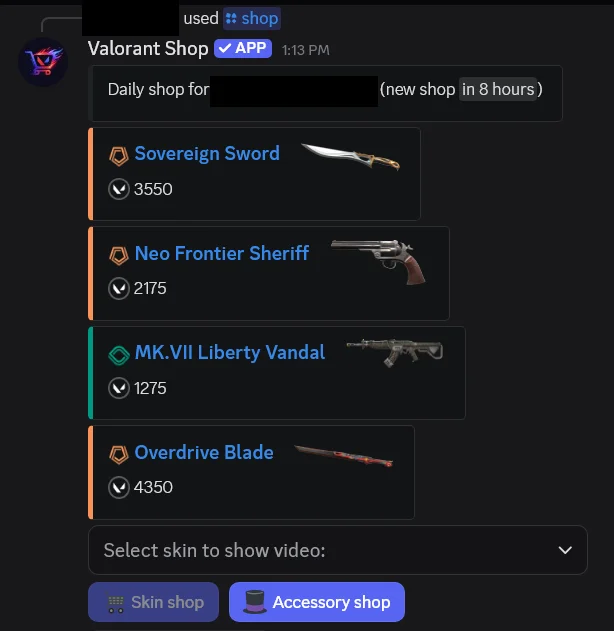
If you want to view your Valorant shop quickly on your phone without opening the game, using a Discord bot is the most efficient workflow. This method keeps everything inside an app you likely already have open, avoiding the need to download unverified files.
The system functions by having the user link their account through a secure authentication flow. Community tools, such as the option hosted on the Pley.gg Discord server, utilize this method to fetch your store data safely and display it directly in a chat window. This approach lets you check agents, bundles, and daily skin rotations without exposing your login details to unknown websites.
Step-by-Step Discord Setup for the Valorant shop tracker
- Step 1: Join the designated server by navigating to the article on Pley.gg.
- Step 2: Open the text channels and locate #general-chat under the Valorant category.
- Step 3: Type the /login command into the message field to start the integration.
- Step 4: Follow the automated prompts displayed by the bot to link your profile safely.
- Step 5: Type the /Shop command at any time to immediately view your current daily offers.
Utilizing the Official Client Method
The most secure way to check your Valorant shop will always be the official game client. While it lacks the portability of a phone app, it keeps your authentication completely inside the intended login environment.
Because individual market rotations operate on a strict 24-hour cycle tied directly to central server timers, the internal game interface remains the definitive benchmark for accuracy. If you are tracking a highly anticipated skin, checking the client directly prevents any potential lag or caching errors found in third-party software.
Standard Store Check Sequence
- Step 1: Launch the official Valorant application on your desktop computer.
- Step 2: Click on the Store tab located at the top of the main menu dashboard.
- Step 3: Review the four active daily weapon offers and the expiration timer on the featured bundle.
Setting Up Remote Desktop Streams
For players who want mobile convenience but completely distrust third-party programs, remote desktop software offers an excellent middle ground. This technique allows you to view the official PC client directly from your phone by streaming your computer screen over an encrypted network connection.
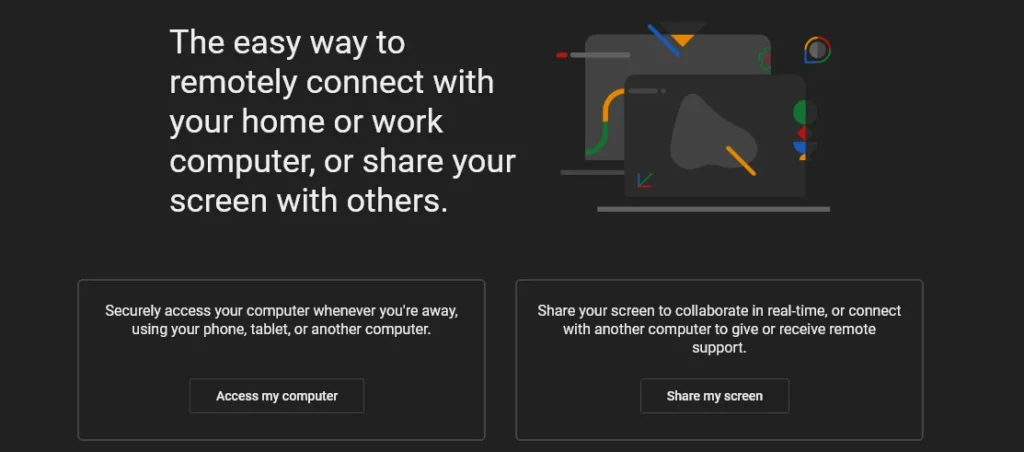
By handling the login process locally on your own hardware, you eliminate the risk of external data interception. The main trade-off is that your gaming PC must remain powered on while you are away from home.
Remote Access Configuration Steps
- Step 1: Install a reputable remote access tool like Chrome Remote Desktop or Parsec on your PC.
- Step 2: Adjust your computer power settings to ensure it stays awake or supports remote wake signals.
- Step 3: Open the corresponding remote app on your phone, connect to your PC, and launch Valorant.
- Step 4: Navigate to the store tab to view your skins, then close the connection when finished.
Managing the Risks of Third-Party Mobile Apps
Standalone companion apps found on mobile storefronts present the highest risk profile for players. The ultimate danger comes from any program that asks you to type your primary username and password directly into the application interface, rather than using a secure single sign-on redirect page.
Security reports consistently show that unauthorized apps can serve as tools for credential harvesting, leading to compromised accounts and lost cosmetics.
Safety Checklist for Mobile Utilities
- Step 1: Only download apps from the official iOS App Store or Google Play Store, avoiding unverified package files.
- Step 2: Review the developer name, update history, and recent user feedback to detect any suspicious behavior.
- Step 3: Turn on multi-factor authentication and create a unique password before linking any external app.
- Step 4: Stop using the app immediately if it demands your direct password instead of an official login redirect link.
The following table summarizes the primary methods players use to track their weapon skins remotely, categorized by security risk and the ideal use case for each approach.
| Tracking Method | Risk Level | Example Utilities |
|---|---|---|
| Discord Bot | Low | Pley.gg bot integration |
| Official Game Client | Low | Launching official PC client |
| Remote Desktop Client | Low | Chrome Remote Desktop or Parsec |
| Mobile Application | High | ValoHub or SpikeHub apps |
How Unofficial Tracking Works
Riot Games does not actively publish your store data onto an official external website, meaning all third-party trackers rely on backend workarounds. Trusted utilities use token-based authentication, which allows the program to read your store rotation without ever seeing or storing your password. Less secure tools require a direct password entry, which creates an immediate vulnerability for credential theft.
The Future of Official External Support
Riot Games has not announced plans to create an official mobile storefront or external web tracker. Developer documentation indicates that public data access is intentionally restricted to match stats, leaderboards, and historical records to protect account security. As long as this policy remains in place, players must choose between the portability of community tools and the absolute safety of the PC client.